
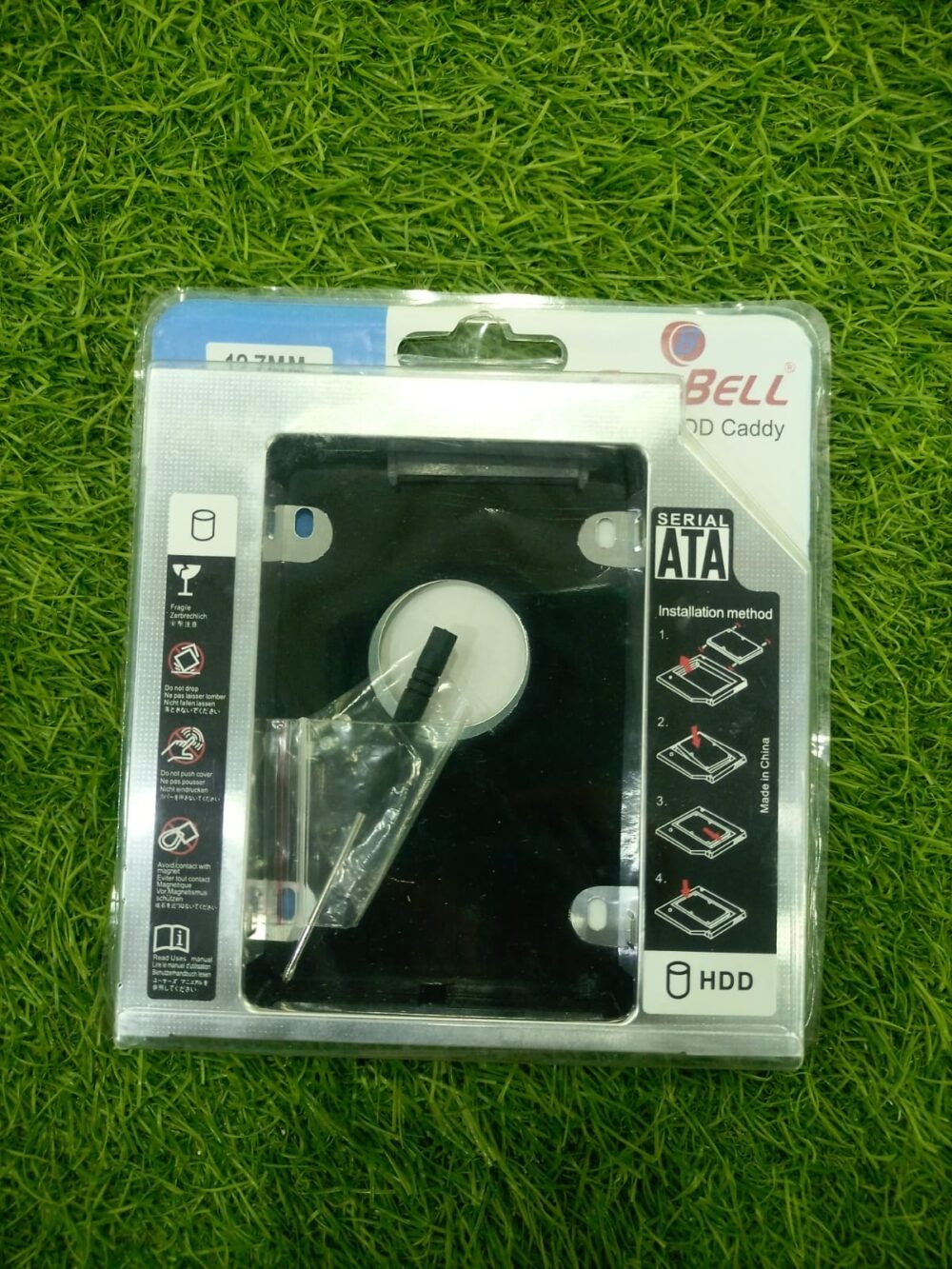
The CoolBell 2nd HDD & SSD Caddy is the perfect storage expansion solution for laptop users who want to add a second hard drive or SSD without sacrificing their primary storage device. Designed to fit into the optical DVD drive bay, this caddy converts unused optical drive space into a valuable storage expansion slot.
Whether you’re upgrading to an SSD while retaining your existing hard drive or adding additional storage for files, games, software, and media, the CoolBell HDD & SSD Caddy provides a simple and cost-effective solution.
Constructed from durable materials and equipped with a SATA interface, the caddy ensures stable data transfer, reliable performance, and seamless integration with compatible laptops. It supports most standard 2.5-inch SATA HDDs and SSDs, making it ideal for users seeking improved performance and increased storage capacity.
Installation is straightforward and requires minimal technical expertise, making it suitable for students, professionals, gamers, and business users looking to maximize their laptop’s storage potential.
Key Features
- Converts Optical Drive Bay into Storage Bay
- Supports 2.5-Inch SATA HDD & SSD
- Easy Laptop Storage Expansion
- High-Speed SATA Interface
- Durable & Lightweight Construction
- Plug-and-Play Compatibility
- Stable Data Transfer Performance
- Retains Existing Primary Drive
- Ideal for SSD Upgrades
- Supports Multiple Storage Configurations
- Easy Installation Process
- Compatible with Most Laptop Models
Technical Specifications
| Specification | Details |
|---|---|
| Brand | CoolBell |
| Product Type | HDD / SSD Caddy |
| Supported Drives | 2.5-Inch SATA HDD & SSD |
| Interface | SATA |
| Installation Location | Laptop Optical Drive Bay |
| Supported Drive Thickness | 7mm & 9.5mm Drives |
| Caddy Thickness | 9.5mm (Model Dependent) |
| Data Transfer | SATA Speed Support |
| Material | Aluminum Alloy + ABS |
| Compatibility | Compatible Laptops with Optical Drive Bay |
| Color | Black |
Please verify your laptop’s optical drive bay thickness (9.5mm or 12.7mm) before purchasing.
Benefits
Add a Second Drive
Install an additional HDD or SSD without removing your existing storage.
Increase Storage Capacity
Store more files, games, software, and multimedia content.
Improve System Performance
Use an SSD as a boot drive while keeping an HDD for data storage.
Cost-Effective Upgrade
Extend the life and capability of your laptop without buying a new device.
Easy Installation
Simple replacement of the laptop’s optical DVD drive.
Ideal For
- Laptop Users
- SSD Upgrade Projects
- Storage Expansion
- Gamers
- Students
- Business Professionals
- Content Creators
- IT Technicians
- Data Storage Enthusiasts
- Laptop Performance Upgrades
Reviews
There are no reviews yet.